QRistFree to download for iPhone and Apple Watch

Your QR codes, on your wrist.

QRist puts the QR codes stuck in your screenshots, PDFs and emails on your wrist, ready to scan.

Download QRist on the App Store

Requires iOS 18 or later. The Apple Watch app requires watchOS 11 or later.

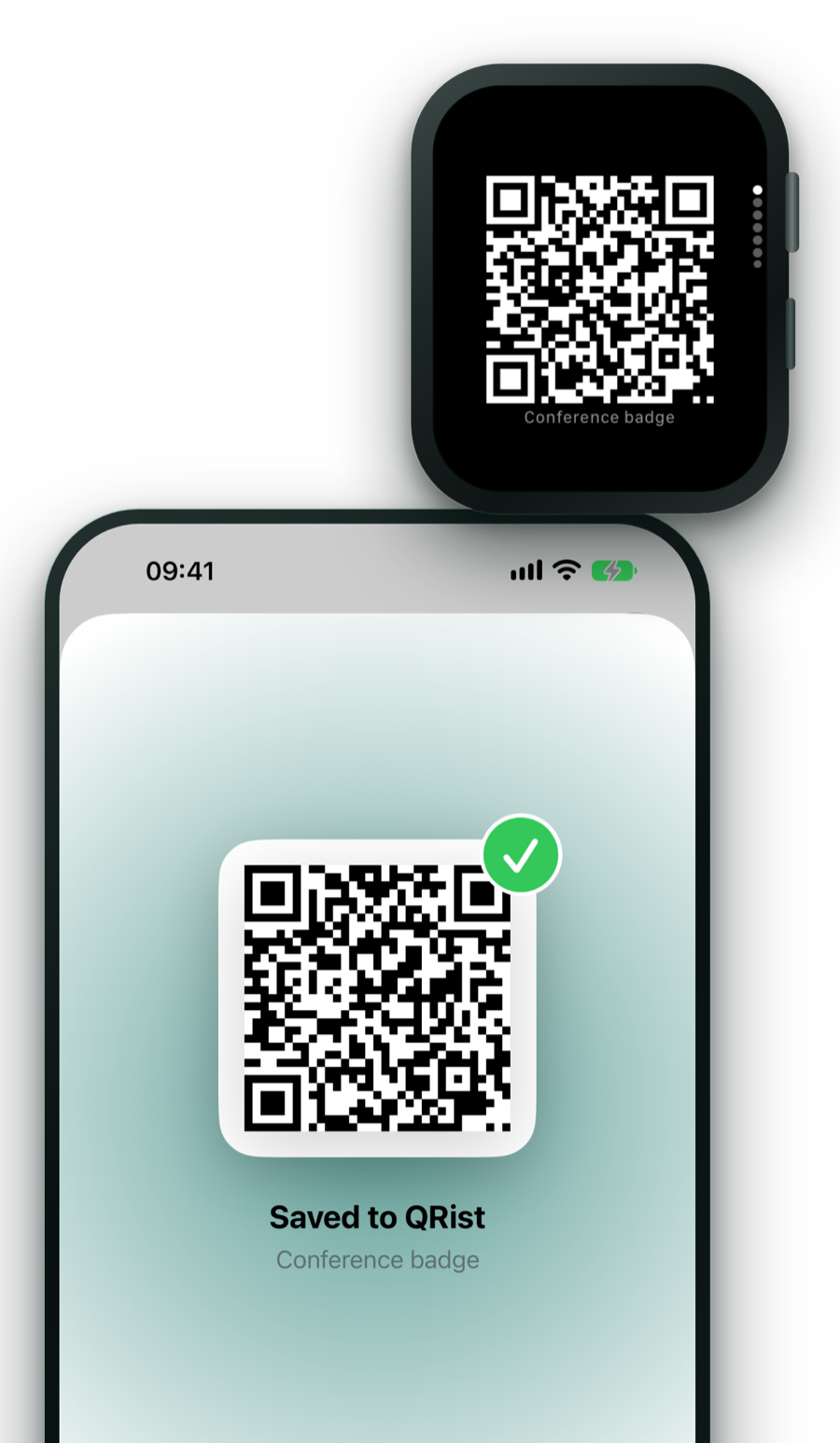
QRist on iPhone showing a grid of saved QR codes, next to an Apple Watch showing one code full-screen

Why QRist

A QR app reads codes. QRist presents codes you own.

Your phone can’t scan its own screen.

An invoice PDF has a payment QR code, and your banking app wants to scan it with the camera of the same phone the PDF is open on. So you email it to yourself, print it, or go looking for a second screen.

QRist gets the code off your phone: onto your Apple Watch, or into your clipboard.

Someone else scans it, and your phone is in your bag.

Gym check-ins, parcel returns, conference badges and library cards often come as a PDF or a screenshot. Digging for your phone and hunting through your email while someone waits behind you is miserable.

With QRist, the code is already on your wrist. Wrist up. Scanned. Done.

How it works

Three steps. The last one takes a second.

  1. Import

    Tap Share in any app, pick a screenshot from Photos or a PDF from Files, or use the camera. QRist finds every QR code, even on page 7 of a PDF.

  2. Raise your wrist

    The new code waits at the top of your Smart Stack as a Live Activity. Tap it and the code fills the screen.

  3. Show it

    Hold your wrist up to the scanner. A code you need to scan yourself is on your wrist too, or one tap away in the clipboard.

Features

A small app with careful details.

  • Photos, Files, Share or camera

    Import screenshots and photos, choose an image or PDF in Files, tap Share in any app, or use the camera for a code on paper.

  • Every code, every page

    QRist finds every QR code in an image and searches every page of a PDF. Pages are read at high resolution, so small printed codes work too.

  • Its own copy on your Apple Watch

    New codes sync automatically, even when the watch app is closed, and QRist shows when they’ve arrived. Your Apple Watch keeps them, so they open without your iPhone nearby.

  • Waiting in your Smart Stack

    After an import, a Live Activity sits at the top of your Smart Stack for 5 minutes. On iPhone it’s on the Lock Screen and in the Dynamic Island. You can turn it off in Settings.

  • Full screen, one per page

    On Apple Watch every code gets the whole screen, redrawn sharply from its content. Turn the Digital Crown or swipe to the next one.

  • Latest QR Code widget

    Keep your newest code on your watch face or in the Smart Stack.

  • Labels that make sense

    Payment codes show who you’re paying and how much, like “Painting Studio · €84.00”. Other codes take the name of the file they came from.

  • Copy, open, share

    On iPhone, copy a code’s content, open its link, share it, or delete codes you no longer need.

  • On iPad too

    Your library, imports and code details also work on iPad.

Privacy

Your codes stay yours.

Tickets and payment codes are personal. QRist has no network access at all, so what you import stays on your own devices.

  • Found on your device

    QR codes are detected on your iPhone or iPad, never on a server.

  • No account, no tracking, no ads

    Nothing to sign up for, and nothing watching what you do.

  • No network access

    The app never connects to the internet. Your Apple Watch gets its copy from your iPhone.

  • Originals never stored

    QRist keeps only the text inside each code, never your photos, PDFs or camera images.

App Store privacy label: Data Not Collected

This site uses no cookies and no trackers.

Read the privacy policy

FAQ

Questions, answered.

Does QRist scan QR codes with the camera?

It can, as one way to import a code you own, such as one printed on a letter. But QRist isn’t a scanner app: a QR app reads codes, and QRist presents codes you own. It gets them out of screenshots, photos and PDFs and puts them on your Apple Watch, so something else can scan them. To open a code you see out in the world, use your iPhone’s Camera app.

Do I need an Apple Watch?

For the watch app, yes. Without one, QRist still works as a library on iPhone and iPad: import codes, see who a payment code pays, copy the content or open the link.

Does my Apple Watch need my iPhone nearby?

No. Your Apple Watch keeps its own copy of your codes, so they open even when your iPhone is somewhere else. Codes you add later reach the watch the next time the two connect.

Which payment codes get a readable label?

SEPA transfer codes (EPC, also known as GiroCode) and EMVCo merchant codes show who you’re paying and how much. Every other code is named after the file it came from.

Can I stop new codes from appearing in the Smart Stack?

Yes. Turn off “Show new codes on Apple Watch” in QRist’s settings on your iPhone. Your codes still sync to the watch app, where you can open them any time.

Is it free?

Yes, QRist is free to download, and it has no ads.

What do I need?

An iPhone with iOS 18 or later, or an iPad with iPadOS 18 or later. The Apple Watch app needs watchOS 11 or later.

Does QRist upload anything?

No. The app has no network access at all. Codes are found on your device and stored in the app on your iPhone, iPad and Apple Watch. The developer never sees them.

Support

Something not working?

Send an email and I’ll help. QRist is made by one developer, so a clear report makes a real difference.

Email support

qrist@palaplu.com

What to include in a bug report

  • Your iPhone model and iOS version (Settings › General › About), and your Apple Watch model and watchOS version if the watch is involved.
  • What you did, what you expected to happen, and what happened instead.
  • A screenshot or screen recording, if you can.
  • If a code isn’t found or gets the wrong label: the file it came from. Please blur or remove anything personal first, like account numbers.

Your email is only used to answer you. See the privacy policy below.

Privacy policy

Privacy policy

Last updated: 17 September 2026

In short: QRist collects no personal data. Your QR codes stay on your own devices and the developer never sees them. This website uses no cookies and no trackers.

1. Who is responsible

Bram De Geyter, an independent developer, is the controller under the EU General Data Protection Regulation (GDPR) for the processing described in this policy. Contact: qrist@palaplu.com.

2. The app

QRist has no account, analytics, advertising or tracking, and it doesn’t connect to the internet. It contains no third-party SDKs or services. The QR codes you add, with the date added and the name of the file they came from, are stored only on your iPhone or iPad and copied to your paired Apple Watch through Apple’s system. Original photos, PDFs and camera images are not kept. The developer receives none of this data.

A code only leaves the app when you copy, share or open it; the privacy policy of the app or website you pass it to then applies. As the platform provider, Apple may process data under its own privacy policy, for example in device backups or, if you’ve opted in, in crash reports and usage statistics it shares with developers.

3. This website

This website is a set of static pages with no cookies, no analytics and no requests to third parties. It is hosted on Amazon Web Services (AWS Amplify). To deliver the pages, AWS processes technical request data such as your IP address, your browser’s user agent, the page requested and the time. Access logging is turned off, and the developer doesn’t use this data to identify visitors. The legal basis is the developer’s legitimate interest in running a secure, working website (Article 6(1)(f) GDPR).

4. Support emails

If you email the developer, your email address, your message and any attachments are used only to answer you. They are stored with the developer’s email provider. The legal basis is the developer’s legitimate interest in answering your request (Article 6(1)(f) GDPR). Please don’t send more personal information than your question needs.

5. Recipients and transfers

Personal data is never sold or shared for advertising. AWS and the email provider process data only as service providers (processors) on the developer’s behalf. AWS may process request data outside the European Economic Area; such transfers are covered by the European Commission’s Standard Contractual Clauses. App downloads and updates are handled by Apple under its own privacy policy.

6. How long data is kept

AWS keeps technical request data only as long as it needs to for security and to operate its service. Support emails are deleted once your question and any follow-up have been dealt with.

7. Your rights

You have the right to access your personal data, to have it corrected or erased, to restrict or object to its processing, and to data portability. To exercise these rights, write to qrist@palaplu.com. Data in the app exists only on your devices, so you manage it yourself: deleting the app from your devices removes it. You can also lodge a complaint with a supervisory authority, such as the Belgian Data Protection Authority (dataprotectionauthority.be) or the authority where you live or work.

8. Other information

You don’t have to provide any personal data, but the website can’t be delivered without the request data above, and the developer can’t reply without your email address. There is no automated decision-making or profiling. QRist and this website are not aimed at children. If this policy changes, the date at the top will be updated.